BUILD MPC1000
Custom MPC 1000: the complete build guide
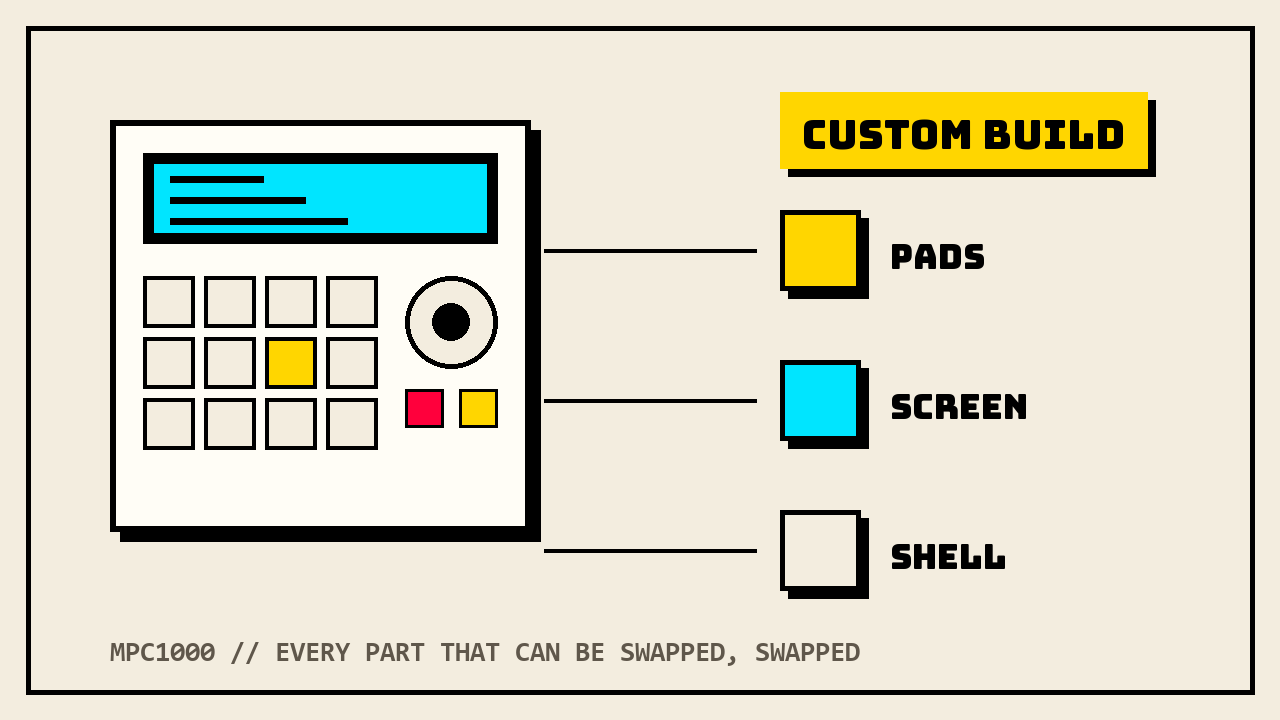
No other MPC gets modded like the 1000. New OS, new pads, new screen, new shell, more RAM, all of it documented across twenty years of forum threads. This is the whole menu, with what each mod actually costs in 2026 and where the community record says the traps are.
Why the 1000 is the one you mod
Akai built the MPC1000 from 2003 to 2009 as the junior machine in the range: 64-track sequencer, 32-voice 16-bit sampler at 44.1kHz, 16 pads, compact flash storage, and a footprint the size of a textbook. It listed around $1,499 new. Today a working unit runs roughly $470 to $650 on the used market, less if the pads are shot, more if someone already did the work this guide describes.
Three things made it the most customized MPC ever. First, the price floor: it has been the cheapest full-size MPC for two decades, so people were never afraid to open it. Second, the design: the pads, screen, and case panels all come out with a screwdriver, which is why a whole parts industry grew around it. Third, and biggest, JJOS: the 1000 is one of only two MPCs with a serious third-party operating system, and the OS is most of the reason a 2003 machine is still on stage in 2026.
BENCH NOTE: every mod below is established practice from the mod community, verified against the sellers and the official docs in August 2026. We cite what builders report; we do not pretend we invented it. Prices move, links rot, check before you order.
JJOS: the brain transplant
JJOS is a replacement operating system for the MPC1000 and MPC2500, written and sold by a single anonymous Japanese developer known only as JJ. It has been distributed since the mid-2000s from a plain Biglobe web page that looks like it has not changed since then, because it has not. There is no company behind it, no support desk, and no marketing. There is just the OS, which fixes Akai's bugs and adds features Akai never shipped: audio track recording, non-destructive chopping, keygroup-style instrument programs, better sequencing and editing throughout.
The versions and what they cost
The lineup confuses everyone, so here is the current menu, checked against JJ's own site in August 2026:
- Free JJOS (currently version 3.16): a free, complete replacement for the Akai OS. Bug fixes, improved load screen, audio track recording. No payment, no password. This is the no-brainer first mod for any 1000.
- JJOS2XL (currently 3.88): the flagship paid OS, US$123, paid by PayPal only. The OS file itself downloads free; the money buys a password that unlocks saving, and the site is explicit that the price never goes on sale. You install OS2XL from the load mode of free JJOS 3.16, so the free OS goes on first.
- JJOS3 (currently 2.58): the experimental successor. The download is free and it runs on the same US$123 password as OS2XL, so buying one unlocks both.
- OS128XL (currently 2.52): a special build for machines fitted with the aftermarket large LCD, US$98, or a US$25 upgrade if you already bought the OS2XL password. It only installs from the OS128ORG firmware bundled with the big screen, so this one is part of the screen mod, not a starting point.
Older paid tiers you will see mentioned in forum archives, JJOS2 in particular, are discontinued; the menu above is what is actually for sale today.
Installing it
The install is the same routine as an Akai firmware update. You copy the OS .bin file onto the compact flash card, either over USB with the card in the machine or with a card reader, then open the file from the LOAD screen, confirm, and let it flash. When the completion window shows, power cycle and the new OS boots. For the paid versions, the password JJ emails you goes in through the SAVE menu. Which means yes: a working CF card is a prerequisite for everything in this article. Sort your storage before you touch the OS.
The honest risk paragraph
Understand what you are buying. The password is sold by one anonymous individual over PayPal, is generated against your machine, and is not transferable to another unit; if the developer ever disappears, so does the store. Files saved by the different operating systems are not all cross-compatible, so a project started on OS2XL does not simply reopen under the stock Akai OS. And while the flash process is routine and the community record says you can reflash back to Akai's OS whenever you want, you are still flashing firmware on a 20-year-old machine: do it on stable power and do not switch off mid-write. Thousands of producers have taken exactly this bet since the mid-2000s and the developer has kept shipping updates for two decades. But it is a bet, and a $123 one, so it belongs in the open.
The pad fix
If you buy a used 1000, assume the pads are the problem until proven otherwise. The first-generation design, all blue units plus early black units with unpainted metal backplates, used 16 individual pad sensors that stiffen with age and then start dying one by one. Later black units moved to a revised single-array sensor sheet that does not have the fault. The community test is the wiggle test: rock one pad with a finger, and if the neighboring pads move with it you have the newer one-piece assembly; if the pad moves alone, you are holding the old design and its clock is ticking.
Three ways out, in ascending order of money:
- The tape fix, free. The famous MPC-Forums dead pads thread documents reviving old sensors by opening the unit, cleaning the contact area, and shimming the sensor contact. It works, people have run on it for years, and it is also a band-aid on a design fault. Cost of a screwdriver and an evening.
- The full pad upgrade kit, $165 to $205. MPCstuff sells the complete cure: new-design rubber pads, the revised sensor sheet, pad tray, operation PCB, and screws, shipped pre-assembled with install videos. No soldering. Color options from stock grey to 808-style, and an extra-sensitive thick fat pad option for another $29. In stock as of August 2026, 90-day warranty.
- Sensors only, $85.25. If a previous owner already fitted the upgrade kit and just the sensor sheet aged out, the second-version sensor sheet sells separately. Note the trap: these sensors do not work with the original Akai pads, so this is a maintenance part for already-upgraded machines, not a cheap route out of the factory fault.
On the feel side, the thick fat pad sets in various colors run about $45 standalone and are the cheap way to make a fixed 1000 play like it owes you money. They pair with cork shims sold as a sensitivity tweak, though those fit only machines already on the upgrade kit.
Screen swaps
The stock screen is a 240 by 64 dot backlit LCD, and by now most survivors are dim, scratched, or both. What you can actually buy today, all from the same parts ecosystem:
- Straight replacements with colored backlights, $124 to $159: same size panel, new glass, and your choice of backlight color, black, white, or blue on current stock. This is the swap most builds get, and it is the visual signature of a custom 1000.
- The tilted screen kit, $159: same panel, mounted at an angle in a replacement housing so you can read it standing up. Plug and play, no soldering, mounts on the original casing.
- The XLCD big screen, $249 to $269: a 240 by 128 panel that doubles the display area. It drops into the stock mounting, but it only lights up fully when you run the OS128 firmware that ships with the kit, which then upgrades to OS128XL for $98, or $25 on top of an existing OS2XL password. This is the deepest screen mod and it locks you into the JJOS ecosystem, which is where a machine this far in already lives anyway.
Forum veterans also point at cheap bare LCD panels from China as donor parts, and the record on those is mixed: right ribbon, wrong polarizer, dead pixels, you get what you pay for. If the machine matters, buy the packaged kit.
Shell: skins, paint, and who to pay
Three tiers, by how permanent you want to be.
Vinyl skins are the reversible tier. Pre-cut printed faceplate skins with all the legends run about $63 in solid colors, plus gold, chrome, wood-look, and a cream colorway that cosplays a 2000XL; a rear panel skin is another $25. Custom-print shops will also run whatever artwork you send on 3M vinyl cut for the 1000. Peel it off next year, and the resale value never knew.
Rattle-can paint is the commitment tier, and the forum record is blunt about the reality: full disassembly, degrease, sand around 220 to 240 grit, primer, then several light coats rather than one heavy one, with real drying time between. The part nobody warns you about is the legends: paint erases every printed label on the faceplate, and reapplying them, decals, silkscreen, or a printed skin over the paint, is where home jobs go to die. Builders who have done it say the painting is the easy half.
There is also a bolt-on middle path: complete replacement metal casing kits in gloss black ($169), gloss white ($185), or retro 2000XL beige ($220), plus walnut side panels at $79 for the studio-furniture look. New shell, zero paint, original panels in a drawer for resale day.
The pro tier is a respray by someone who does this for a living. The reference name in the culture is ghostinmpc in Tokyo, whose customs have gone to working professionals worldwide; the shop asks you to ship just the faceplate and parts rather than the whole unit, and quotes roughly two to three weeks for a paint job. Our builder directory launches soon with vetted painters and repair techs; until then, if you run a shop that customizes MPCs, introduce yourself.
Storage: CF cards and adapters
The 1000 stores everything on compact flash, and Akai's manual is specific: the machine handles cards from 32MB to 2GB, and a new card gets formatted in the unit before use. The community pushes past that: builders report 8GB SanDisk cards running fine and some 32GB cards working with caveats, usually under JJOS, and usually after formatting in the machine. The honest guidance is that 2GB is the guaranteed ceiling per Akai, anything bigger is your experiment, and 2GB of 16-bit mono samples is more than one project will ever touch anyway. A preloaded 2GB card sells for about $40; blank name-brand CF is less.
CF-to-SD adapters are the tempting modernization, and the forum record says: sometimes. The dedicated MPC-Forums thread on them is a catalog of adapters that boot inconsistently, show zero free space every few starts, or drop files mid-load, while the same programs load clean from a real UDMA CF card. Some builders run adapters happily for years. If you try one, test it hard before trusting a live set to it, and keep a real CF card in the bag.
RAM: the 128MB question
Stock, the 1000 has 16MB of sampling memory, about 136 seconds of mono recording. The single expansion slot takes it to 128MB, which the manual rates at 24 minutes 28 seconds mono. For a 16-bit sampler that is effectively bottomless, and it is the difference between a sketchpad and an album machine.
The official part is the Akai EXM128, and here is the honest availability picture: Akai discontinued it years ago, and the big-box product pages for it are dead ends. What actually exists in 2026 is the used and aftermarket market: original EXM128 boards float around eBay from roughly $47, and functionally equivalent third-party 128MB boards are still manufactured, sold on Amazon by memory houses and at about $67 through the MPC parts shops. The board drops into a hatch; it is the easiest hardware mod on the whole list. Check the boot splash after install, it reports the memory it sees, and check it again before you buy a used 1000 claiming to be expanded.
The full parts table
Everything above in one sheet. Costs are what the live listings said in August 2026, in US dollars; difficulty is about the worst tool the job needs. Sources for every row are in the sections above.
| Mod | Difficulty | Cost today | DIY or pro |
|---|---|---|---|
| Free JJOS install | File copy + flash, no tools | $0 | DIY, first thing you do |
| JJOS2XL (+JJOS3) | Same flash, PayPal password | $123 | DIY |
| Pad tape fix | Screwdriver, patience | $0 | DIY band-aid |
| Pad upgrade kit | Screwdriver, no solder | $165 to $205, +$29 fat pads | DIY, the real cure |
| Sensor sheet only | Screwdriver, no solder | $85 | DIY, upgraded units only |
| Backlight LCD swap | Screwdriver + ribbon care | $124 to $159 | DIY |
| Tilted screen kit | Screwdriver, plug and play | $159 | DIY |
| XLCD big screen + OS128XL | Screwdriver + OS flash | $249 to $269, +$25 to $98 OS | DIY, careful one |
| Vinyl skin / faceplate skin | Peel and stick | $25 to $63 | DIY, reversible |
| Replacement metal casing kit | Full disassembly | $169 to $220 | DIY, unhurried afternoon |
| Rattle-can respray | Full teardown + finishing skill | $30 to $60 materials | Pro, unless you accept ugly |
| Pro custom paint | Ship your faceplate | Quote-based | Pro (directory soon) |
| CF card 2GB | None | $10 to $40 | DIY |
| CF-to-SD adapter | None, reliability lottery | $10 to $20 | DIY, test hard first |
| 128MB RAM board | Hatch + one board | $47 to $90 | DIY, easiest hardware mod |
SAFETY
The MPC1000 has an internal power supply: mains voltage lives inside that shell, not in a wall wart. Unplug the power cable before opening the case, every time, and leave the PSU board itself alone unless you are qualified to be there. None of these mods needs you anywhere near it. Any warranty this machine had expired when flip phones were cool, but if you buy from a parts shop, their warranty covers their kit, not what your screwdriver slips into.
Sounds for a finished build
One honest compatibility note before the plug. The 1000 is a 16-bit, 44.1kHz machine that reads WAV and legacy Akai .snd files and saves its programs as .PGM. Our packs ship as .XPM programs with 24-bit WAVs, which is the modern MPC format, and the 1000 predates it: the .XPM programs will not load on a 1000, and the 24-bit WAVs need a batch convert to 16-bit before the machine will take them. Any free audio editor does the conversion in one pass. If enough 1000 owners ask, a native .PGM version of the free pack is the obvious next move, tell us at the link below.
Got a finished custom 1000 worth featuring, or a shop that builds them? Send it in. The builds section runs on real machines.