GUIDE MPC60 → Current OS
MPC swing and quantize: the complete Timing Correct guide
People talk about MPC swing like it's a secret sauce nobody can quite explain. It isn't. Akai published the exact math in the MPC60 manual in 1988, a percentage from 50 to 75, with three named reference points and two suggested starting settings. This is what that math actually says, what the modern Timing Correct window added around it, and what, checked page by page against both manuals, genuinely has not changed in almost forty years.
The short version
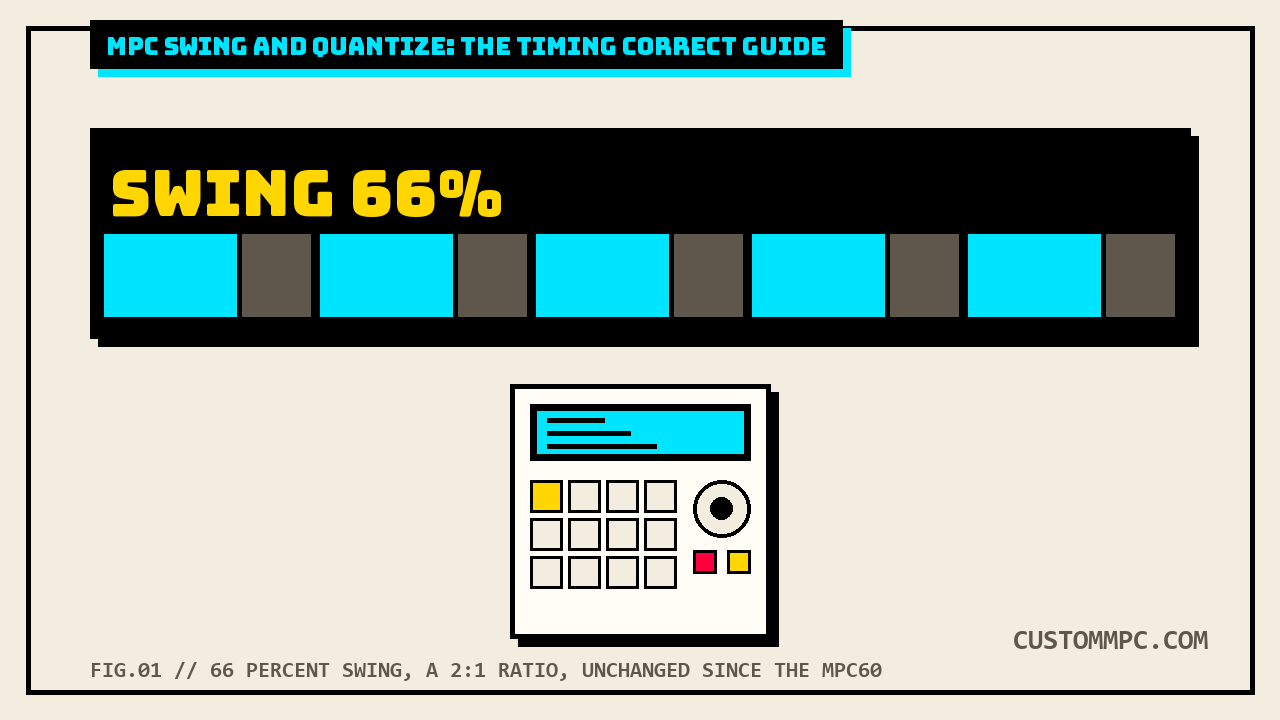
Swing on an MPC is a percentage from 50% to 75% that decides how much extra time the first note in a pair gets over the second one. 50% is dead even. 66% is what Akai's own manual calls "technically perfect swing," where the first note gets exactly twice the timing value of the second, the same feel as a triplet with the middle note muted. 75% is the ceiling, three times the timing value, described in the same manual as "very exaggerated." Checked against the current MPC Standalone OS manual, that same 50 to 75 range, with the same swing mechanism, still runs the show on every MPC shipping today. What's new on the current OS is everything built around that number: a Window field that decides which notes even get touched, a Strength dial that lets a quantize move a note partway instead of snapping it dead-on, an Events selector that can quantize just the notes you've picked instead of the whole track, and a Type selector that can quantize audio-track regions, something the MPC60 never had a concept for at all. The number didn't get smarter. The controls around it did.
What Akai published in 1988
The MPC60's Timing Correct function lives behind one hardware key, TIMING CORRECT, and Akai's own MPC60 operator's manual dedicates a full section of Chapter 3 to it, titled plainly "The TIMING CORRECT Key: Correcting Timing Errors, Swing Timing." Press that key while the machine isn't playing and the screen that comes up looks like this, straight from the manual:
| Field | What it does |
|---|---|
| Note value | 1/8, 1/8 TRPLT, 1/16, 1/16 TRPLT, 1/32, 1/32 TRPLT, or OFF (1/384, no correction) |
| Swing% | Only shown when Note value is 1/16 or 1/8. Range 50 to 75 |
| Shift timing | EARLIER or LATER |
| Shift amount | In ticks, 1/96 of a quarter note |
| Track / Ticks / Notes | Scopes the <Move Existing> soft key: which track, which region, which notes get corrected after the fact |
The Note value field is the one doing double duty most players never clock. It's not just the quantize grid, Akai's manual states it also drives two other functions entirely: it "sets the Note Repeat timing value" and it sets how far the sequence position jumps when you hit rewind or fast forward. Note Repeat, as a feature, is documented in the same TIMING CORRECT chapter, right after this screen, and it works by holding the same TIMING CORRECT key. That's not a coincidence of naming. On the MPC60, quantize and Note Repeat are the same button, sharing the same grid. We cover the modern version of that pairing, and how it's evolved into a separate button with its own borrowed rate, in our Note Repeat and 16 Levels guide. This is the button Note Repeat grew out of.
The swing percentage, word for word
Here's the part worth reading slowly, because it's the actual math and it's not complicated. Swing only shows up as a field at all when Note value is set to 1/16 or 1/8, and it works by taking the two notes in a pair, the downbeat and the note between it and the next downbeat, and giving the first one a bigger share of the total time. Akai's own manual states the range and all three reference points plainly:
| Swing% | What it does, in Akai's words |
|---|---|
| 50% | "Perfectly even timing with no swing effect; the first and second notes of each pair... have equal (50%) timing" |
| 66% | "A technically perfect swing; the first note of each pair... has a timing value of twice that of the second note, giving the effect of 1/16- or 1/8-note triplets where the middle note of each triplet is silent" |
| 75% | "The highest swing setting; the first note of each pair... has a timing value of three times that of the second note. This creates a very exaggerated swing timing" |
That 66% number is worth sitting with. It's not a rounded-off "feels about right," it's a literal 2:1 timing ratio between the two notes in a pair, which is exactly what a triplet feel is when you mute the middle note. The manual isn't hedging when it calls that "technically perfect," it's stating the ratio that makes it mathematically a triplet.
Akai's own manual doesn't stop at defining the range, it gives two named starting points to actually try, both at 100 BPM, both on 1/16 notes:
- 1/16 note, Swing 54%, 100 BPM. "While not enough swing for a true swing feel, this small amount of swing timing removes the stiffness from perfect 1/16-note timing and is especially useful on drum sequences using 1/16-note hi-hats."
- 1/16 note, Swing 62%, 100 BPM. "This creates an 1/16-note swing feel that could be described as more relaxed than a perfect triplet swing (66%)."
Both of those undershoot 66% on purpose. Akai's own copy is telling you the "technically perfect" triplet number isn't necessarily the musical one, 54% and 62% are both described as more useful starting points for actual drum programming than the mathematically exact swing value. That's a genuinely old piece of production advice, sitting in a 1988 manual, that still holds.
Shift timing: why you can't move notes without quantizing them
The MPC60's Shift timing and Shift amount fields let you nudge notes earlier or later, in ticks, a tick being 1/96 of a quarter note. Useful for compensating a synth's slow attack, or just moving a track slightly ahead of or behind the beat. Here's the part that catches people off guard: on the MPC60, you cannot use Shift Timing on its own. It's coupled to quantize. Akai's manual says it outright: "It is not possible for this function to shift the timing of notes without also correcting their timing." Set Shift timing to EARLIER and dial in a few ticks, and every note in the affected region also gets snapped to the current Note value grid, whether you wanted that snap or not. The manual even documents the workaround for players who want a pure shift with no quantize: an entirely separate Shift Timing function under the EDIT key, independent of this screen. The shift range itself scales with whatever Note value is set: up to 11 ticks at 1/16, up to 5 ticks at 1/32, and locked at 0 with no shift possible at all when Note value is OFF (1/384), since there's no correction happening for the shift to ride along with.
Applying any of this to notes you've already recorded, not just notes as you play them in, is the job of the <Move Existing> soft key at the bottom of the same screen, scoped by the Track, Ticks, and Notes fields above it. Track picks which track gets touched (0 for all of them), Ticks sets the bar.beat.tick range, and Notes narrows it to specific pads or keys, hit them to add them to the selection. Press <Move Existing> and the current Note value, Swing%, Shift timing, and Shift amount settings get applied retroactively to whatever's in that scope.
The modern Timing Correct window
Fast forward to the current MPC Standalone OS, running on Live, Live II, One, One+, One G2, Key 61, Key 37, Key 37 G2, and X. The window is called Timing Correct (TC), same name, and it opens from the TC field at the top of the screen in Main Mode or List Edit Mode, from a TC button at the bottom of Arrange Mode, the Step Sequencer, or Track Mute Mode, from a clock icon in Grid View, or by holding Shift and tapping TC in Track View. Akai's own copy for this window opens by stating it can quantize "note events on MIDI tracks or track regions on audio tracks (though you cannot apply all types of quantization to audio tracks)," which is the first real difference from 1988: audio tracks are in scope at all.
A Type selector sets how the correction gets applied, and this is new territory entirely, with four options: Start, which nudges a note event or audio region so its start lines up with the grid, usable on MIDI or audio tracks; End, which stretches or shrinks the end point to the grid while leaving the start alone, MIDI only; Length, which resizes a note so its length becomes a multiple of the time division regardless of grid position, MIDI only; and Legato, which extends every note to sustain until the next one starts, building one unbroken phrase, MIDI only, and it disables every other option in the window when selected.
Below the Type selector sit the fields that map onto the MPC60 screen directly, plus the genuinely new ones. Time Division replaces Note value. Swing is the same field, same range, same job. Shift Timing replaces Shift timing/Shift amount, now a single field instead of two. Then four things the MPC60 never had:
| Field | What it does |
|---|---|
| Window | Sets how many events around a quantize value will actually be touched. Anything outside the window is left alone entirely |
| Strength | 0 to 100%. How hard events get pulled toward the quantize point, not just snapped or left. Lower values move a note partway; higher values move it fully |
| Events | All or Selected. Quantize the whole track, or only the specific notes you've picked first |
| Type = Start/End/Length/Legato | Governs whether correction moves a start point, an end point, an event length, or builds a legato phrase, and whether it can touch audio-track regions at all |
Strength is the one that actually changes what quantize feels like to play with, not just what it can reach. The MPC60's correction was binary per note within its scope: a note landed on the grid or it didn't get touched (via Note value = OFF). Strength adds a middle setting the MPC60's own Timing Correct screen has no field for at all, pulling a note some fraction of the way to the grid instead of all the way. That's a form of humanize control that simply did not exist in 1988's Timing Correct implementation.
What's actually unchanged since 1988
This is the actual spine of the article, and it's worth stating plainly instead of hand-waving past it: the swing math itself, the 50 to 75 range and what each end and the 66% midpoint mean, is the same in both manuals. Compare the two definitions side by side.
| Detail | MPC60, 1988 | Current OS |
|---|---|---|
| Range | 50% to 75% | 50% to 75% |
| 50% | "Perfectly even timing with no swing effect" | Same behavior, not individually re-defined in the field description |
| 66% | Named "technically perfect swing," 2:1 ratio, triplet feel with a silent middle note | Same 50-75 field; the "technically perfect" callout and 2:1 explanation is 1988-manual language, not repeated verbatim in the current field description |
| Field appears only for | 1/16 or 1/8 Note value | Not restricted by Time Division in the same explicit way; see note below |
One honest gap in that comparison: the MPC60 manual explains the swing math in detail, the timing ratios, the "technically perfect" language, the 54%/62% starting points. The current manual's Swing field description is a single line, "set the amount of swing from 50% to 75%. Swing lets you 'shuffle' your beats, from subtle to extreme," with none of the ratio math or named starting points repeated. We are not claiming the current manual uses "almost verbatim" language to the 1988 one, we checked, and it doesn't, the modern copy is shorter and skips the ratio explanation entirely. What's unchanged is the number itself, the 50-75 range and the underlying mechanic, not the marketing description around it. That distinction matters: the math didn't get a rewrite, the explanation got cut down.
What genuinely is new, confirmed against both manuals directly: Window, Strength, Events, and the Type selector's audio-track and per-note-length options. None of those four have any MPC60-manual equivalent, and the MPC60's own manual never once mentions an audio track, because the machine doesn't have the concept, it's a MIDI sequencer driving sample playback from pads, not a multitrack audio recorder. So the honest version of the claim is: the swing percentage and its 50/66/75 meaning are unchanged since 1988. Window, Strength, Events, and audio-track quantization are genuinely new, and they're what the modern Timing Correct window spends most of its added screen real estate on. The number didn't need fixing. Everything got built around it.
Opening the TC window, model by model
Access paths genuinely differ by hardware, and it's worth being plain about it instead of assuming every current MPC has the same button. The four software-side paths, tap the TC field in Main Mode or List Edit Mode, tap TC at the bottom in Arrange Mode/Step Sequencer/Track Mute Mode, tap the clock icon in Grid View, hold Shift and tap TC in Track View, work identically on every current model, since they're software UI, not hardware. The dedicated hardware shortcut is not universal: Akai's manual states the TC / On/Off button exists on "MPC Live II/One/Key 61/Key 37 only." On MPC X, the original Live, One+, One G2, Key 37 G2, or any model outside that named list, there is no dedicated TC hardware button documented, quantize settings are a tap-in through the software paths above, not a physical key press. If your model isn't in that four-model list and you're hunting the case for a TC button that isn't there, that's not a missing feature, the manual simply never documents one for your unit. Use the tap-in paths instead.
Setting up swing on a current MPC
- Open TC. Tap the TC field (Main Mode/List Edit), tap TC at the bottom (Arrange/Step Sequencer/Track Mute), tap the clock icon (Grid View), or press the dedicated TC/On-Off button if your model has one.
- Set Time Division to 1/16 or 1/8. This is the MPC60's Note value carried forward under a new name, and it's still the field that determines whether a Swing field is meaningful to dial in at all, the swing feature is built around pairs of 1/16 or 1/8 notes.
- Set Swing. Start at 54% for a barely-there loosen, or 62% for a relaxed swing short of full triplet feel, both straight from Akai's own 1988 suggestions and still valid starting points on current hardware, since the underlying math hasn't moved. Push to 66% for the textbook triplet feel, or up toward 75% for the exaggerated end.
- Set Window if you only want some notes touched. Leave it wide to catch everything near the grid, narrow it down to protect notes that are already close to where you want them and shouldn't get pulled.
- Set Strength if 100% snap feels too mechanical. Pull it down from 100 to move notes partway toward the grid instead of locking them dead onto it. This is the field with no MPC60 equivalent, use it, it's the actual upgrade.
- Set Events to Selected if you don't want the whole track touched. Pick your notes first (pad hits or Event View/Region View selection), then open TC with Events set to Selected.
- Tap Do It. Real-time correction applies going forward as you record; existing material needs its own quantize pass through the same window, scoped by whatever you selected.
Common mistakes
Mistake: expecting a Swing field on a Note value that isn't 1/16 or 1/8. Both the 1988 and current manuals describe swing as a 1/16- or 1/8-note pairing feature. Set Time Division to something else and there's no equivalent field to fight with, that's expected behavior, not a bug.
Mistake: dialing swing up to 66% and expecting it to sound "correct" for every drum part. Akai's own 1988 suggestions explicitly undershoot 66% for a reason, 54% and 62% are framed as more usable starting points for actual hi-hat programming than the mathematically perfect triplet ratio. Treat 66% as a reference point to measure from, not a default to reach for.
Mistake: hunting for a physical TC button on a model that doesn't have one. Only MPC Live II, One, Key 61, and Key 37 get a dedicated TC/On-Off hardware button per Akai's own manual. Every other current model opens TC through the software tap-in paths.
Mistake: setting Strength to 100% and wondering why it feels identical to the MPC60-style snap. That's correct, it should, 100% Strength is the same behavior as a straight quantize with no humanize applied. The field only does something different from a hard snap once you pull it below 100%.
Mistake: trying to quantize an audio track's End, Length, or Legato Type. Akai's manual states directly that End, Length, and Legato apply to MIDI tracks only. Only Start can be applied to an audio track region. Set Type to anything else on an audio track and you're working against a documented MIDI-only restriction, not a glitch.
Timing Correct and Note Repeat
The connection between quantize and Note Repeat isn't a modern invention, it's the original relationship the MPC60 shipped with in 1988, one button driving both a quantize grid and a repeat rate. The current OS split that into two separate controls, but the dependency survived: Note Repeat's hardware-button rate is still borrowed straight from Timing Correct's Time Division and Swing fields, not a rate field of its own. We cover that modern relationship, plus how it interacts with 16 Levels, in full in our Note Repeat and 16 Levels guide. If Timing Correct is the grid, Note Repeat has always been what plays it back mechanically, since before the modern OS existed at all.
Verdict: it was never a mystery
VERDICT
The swing number: 50 to 75%, 66% is a literal 2:1 triplet ratio Akai calls "technically perfect," 75% is the exaggerated ceiling. That math is public, documented, and unchanged from the MPC60's 1988 manual to the current MPC Standalone OS guide, checked side by side, not assumed. What actually changed: Window (skip notes that don't need touching), Strength (partial pull instead of a hard snap), Events (quantize only what you selected), and Type (Start/End/Length/Legato, including audio-track regions the MPC60 had no concept for). Where to start: 54% or 62% swing on 1/16 notes, straight from Akai's own 1988 suggestions, still valid today because the number they're describing never moved. Skip anything selling "the secret to MPC swing" as a plugin or a paid preset pack. It's a documented percentage in a manual that's been public for almost forty years. Keep your money.
Found a Timing Correct quirk this didn't cover, or a model where the access path differs from what's documented here? Tell us what happened.