BUYING GUIDE MPC4000
Akai MPC4000 buying guide: what to check before you buy Akai's flagship
This site has covered the MPC1000, MPC2000XL, MPC3000, and MPC60. The MPC4000 is the one that got skipped, and it shouldn't have been, it's the machine Akai actually built to be the top of the standalone line, and it shows up in this site's own comment sections more than any other single model. Here's what it actually is straight from Akai's own service and owner's manuals, the base-versus-Plus mixup worth sorting out before you shop, and the checklist to run before you pay for one.
The short version
The MPC4000 is Akai's 2002 flagship standalone MPC, a 64-voice, 24-bit/96kHz sampler and 128-track sequencer built to sit above the MPC2000XL as the serious studio machine of its generation. Stock, it ships with a genuinely small 16MB of sample memory, expandable to 512MB across two 168-pin DIMM slots, a 320x240 grey-scale LCD, stock SCSI plus USB host and slave ports, and room for three optional plug-in boards (digital I/O, ADAT, and eight assignable outputs) that most units on the used market don't actually have installed. Two things matter more than any spec on that list: what's sold as an "MPC4000 Plus" is not a different core machine, just a base unit with one optional board pre-installed and a bigger factory hard drive, and this site found a real Akai-documented factory test mode buried in the service manual that most sellers have never heard of, useful leverage before you pay for a unit that's now old enough to have real service history either way.
DEX'S NOTE: Everybody asks about the "Plus" version like it's a secret tier with better internals. It isn't. Same board, same 64 voices, same 16MB you'll be upgrading day one either way. The Plus badge just tells you the dealer already opened the case before you did. That's worth something. It's not worth a different spec sheet.
What the MPC4000 actually is
Akai released the MPC4000 in September 2002 at a launch price of £2,299 including VAT, positioned as the top of the standalone MPC line at a moment when the MPC2000XL was already Akai's best-selling machine and the company wanted a genuine studio flagship above it. Sound on Sound's review at launch called it "undoubtedly the most evolved" MPC of its era, praised a sequencer "much more powerful than its forebears" and a phrase-library feature it called "particularly creative," but was blunt that OS stability on early units was "not fully up to scratch," with the reviewer reporting system crashes, and closed by calling it suitable for "enthusiasts only" given how quickly software-based production was catching up on price and flexibility. Akai's later firmware releases addressed a lot of that instability; the last publicly documented OS version is v1.71, per third-party firmware archives that still mirror it, with no evidence of further releases after that. One detail specific to this machine that neither the MPC60, MPC2000XL, nor MPC3000 guides on this site had reason to mention: Akai's own service manual documents a CPU Board Test Mode that runs by physically moving the MPC4000's CPU board into an Akai Z4/Z8 rack sampler chassis and loading that machine's OS onto it, confirming the MPC4000 and the Z4/Z8 samplers share the same core board design at the service level, not just a family resemblance. Producer gear round-ups and equipment databases commonly name Madlib as an MPC4000 user alongside his SP-1200; that figure comes from aggregator sites and interview summaries indexed via search rather than a directly fetched primary interview this pass could re-verify word for word, so it's noted here as commonly cited rather than independently confirmed to the standard the rest of this article holds itself to.
Real specs, straight from the manual
Every figure below is quoted or paraphrased directly from Akai's own MPC4000 Service Manual, "I. SPECIFICATIONS" section, printed page 3, independently cross-checked against the same PDF via pdftotext. This is the base MPC4000 as Akai itself documented it; the manual never once distinguishes a "Plus" tier, a point that matters for the checklist below.
| Spec | Figure |
|---|---|
| Memory | 16MB standard, expandable to 512MB via 2x 168-pin DIMM (PC133/PC100, CL2) slots |
| Polyphony | 64 voices |
| Sample format | 24/16-bit linear |
| Sampling rates | 44.1kHz, 48kHz, 96kHz |
| Filters | 3x 2-pole with resonance |
| Envelopes / LFOs | 3 envelope generators (2 multi-stage), 2 multi-wave LFOs |
| Sequencer capacity | 300,000 notes (equivalent) |
| Sequencer resolution | 960 parts per quarter note (ppq) |
| Sequences / tracks | 128 sequences, 128 tracks per sequence |
| MIDI output channels | 64 (16 channels x 4 output ports) |
| Song mode | 128 songs, 250 steps per song |
| Pads | 16, velocity and pressure sensitive, 6 banks |
| Sync modes | MTC, MIDI clock, SMPTE |
| Storage | 50-pin SCSI connector standard; internal ATA hard disk and CD-ROM bay, user-installable per the owner's manual |
| USB | Host x 1, Slave x 1 (v1.1) |
| MIDI | 2 inputs, 4 outputs |
| Display | 320 x 240 dot grey-scale LCD with backlight |
| Optional boards | IB-4D (digital I/O), IB-4ADT (ADAT, 2-in/8-out), IB-48P (8 assignable outs), none standard |
| Dimensions / weight | 526(W) x 170(H) x 453(D) mm, 10.5kg |
| Power | 100-240V AC 50/60Hz, 70W max (27W without options) |
Why it's still worth buying in 2026
Three real reasons. First, it's genuinely the most capable sampler this site's vintage lineup covers: 64 voices, 96kHz/24-bit sampling, and a 300,000-note sequencer across 128 tracks put real distance between it and the MPC2000XL and MPC3000, and it's the only vintage machine on this site with a factory 96kHz mode at all. Second, it's built to be serviced and expanded rather than sealed shut: Akai's own owner's manual includes a full appendix for installing your own ATA hard disk and CD-ROM drive, complete with the screws and cables to do it, a level of documented user-serviceability this site hasn't found on any earlier MPC it has covered. Third, the price gap between "flagship studio sampler" and what one actually costs today is real: a machine that launched at £2,299 in 2002 can still be found well under half that in working condition, covered in the pricing section below, while the optional boards that made it a true studio centerpiece (digital I/O, ADAT, extra outputs) are a known, findable upgrade path rather than a dead end.
What it isn't: a plug-and-play purchase. Sound on Sound's own launch review flagged real OS instability on early units, the stock 16MB of memory is unusable for serious sampling before you've spent anything on RAM, and the "Plus" naming floating around the used market describes a factory bundle, not a different machine, covered in full in the checklist next.
The checklist: software and hardware
Run these roughly in order. The first two cost nothing and clear up the two most common points of confusion before you spend a dollar.
1. Sort out "Plus" before you pay a premium for the name
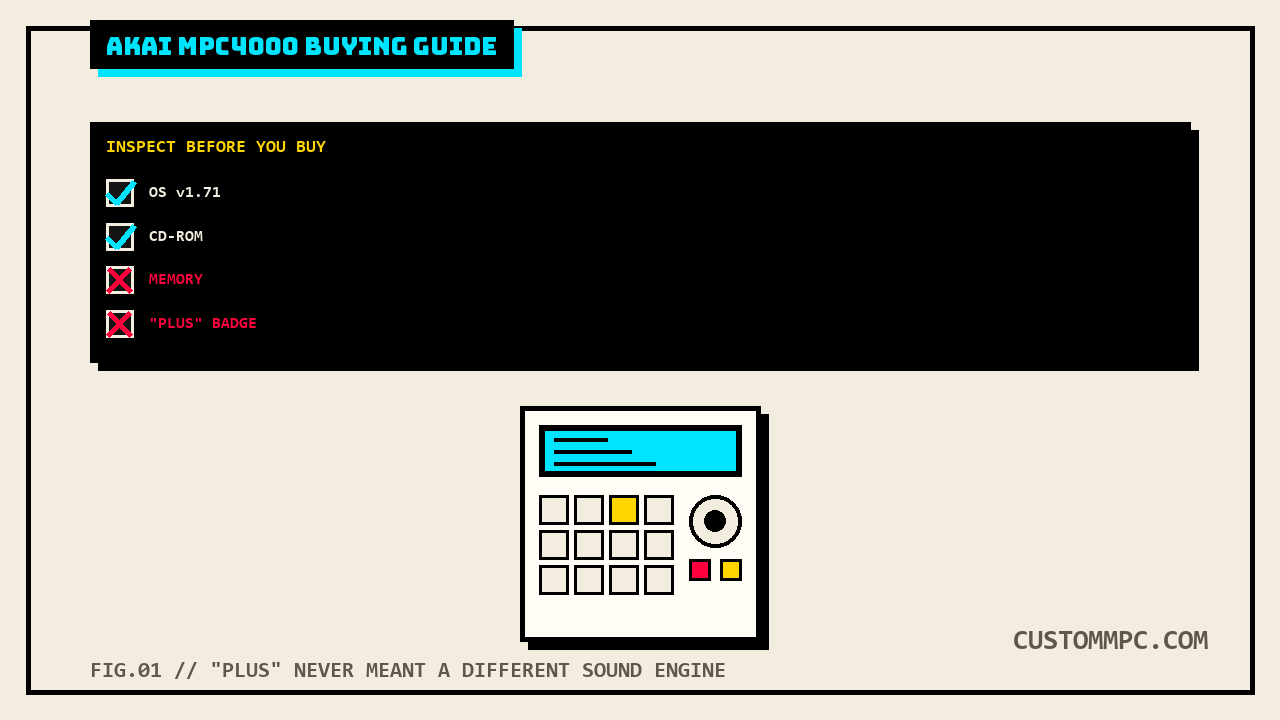
Akai's own service manual never uses the word "Plus" anywhere in its specifications, and describes exactly one MPC4000 hardware spec. Per a long-running MPC-Forums thread on the exact question, an MPC4000 "Plus" is nothing more than a standard unit that shipped from the factory or a dealer with the IB-4D digital I/O/word-clock board already installed and an 80GB hard drive instead of the smaller stock drive, not a different core spec sheet. Meanwhile, at least one active parts and expansion retailer's own MPC4000 specifications page states the Plus ships with "272MB standard" memory and an "internal 80GB hard drive," a direct conflict with Akai's own manual, which documents 16MB standard memory for the machine full stop with no Plus-specific memory figure anywhere. Stated plainly rather than resolved: a seller advertising a "Plus" for a real premium because of a supposedly larger stock memory figure is repeating a vendor page's claim that Akai's own manual doesn't support. What a genuine Plus buys you is a pre-installed IB-4D board and a bigger factory drive, both real and both worth something, just not a different sound engine.
2. Run the factory Panel Test Mode, no special disk required
Unlike this site's MPC60 guide, which needs a dedicated TEST DISK most sellers won't have, the MPC4000's Panel Test Mode is entered entirely from the front panel: hold SHIFT and press GLOBAL from the GLOBAL page's [F1] screen. From there, moving each Q-link knob should visibly change the on-screen graphic, tapping each pad should show its pressure reading on a bar graph, the foot pedal jack should register on/off, the jog wheel should move the on-screen data field, and every key with an LED should light on press. This is a genuinely better in-person diagnostic than this site has found documented for the MPC60, MPC2000XL, or MPC3000: no disk to track down, no forum-sourced workaround, straight from the machine's own service manual, and it will catch a dead pad, a stuck knob, or a bad key before you've paid for anything.
3. Check the CD-ROM drive, and know the manual eject trick before you need it
The stock optical drive is how OS updates load on a machine this old, and it's a mechanical part with a belt or gear mechanism now 20-plus years into service. If a tray won't open on power-up, there's a documented manual-eject route: most drives of this type and era have a small hole on the front where a straightened paper clip released into it pops the tray by hand, a standard trick worth testing on the spot rather than assuming a jammed tray means a dead drive. If manual eject doesn't free the tray either, that points to a loose ribbon cable or a dead drive rather than a simple jam, worth knowing before you assume the whole unit is bad over one sticky tray.
4. Confirm the OS version, and don't expect anything past v1.71
Akai's own launch-era software had real problems: Sound on Sound's review reported system crashes on early units and called the OS "not fully up to scratch" at launch. Later releases addressed a real amount of that, and the last version this research pass could find documented anywhere, including third-party firmware archives that still mirror Akai downloads, is v1.71. Ask which version is actually installed rather than assuming the newest, and don't expect an active Akai support channel to walk you through an update on a machine this old; you're working from archived firmware either way.
5. Budget for a memory upgrade before you've even sampled anything
16MB is the real stock figure, full stop, confirmed directly in Akai's own manual and unrelated to any Plus/non-Plus distinction. At 16MB and 44.1kHz, that's roughly 90 seconds of stereo sampling time per the manual's own sampling-time table, workable for a drum kit but genuinely tight for anything longer, and every buying decision on this machine should assume a 168-pin PC133/PC100 CL2 DIMM upgrade is part of the real cost, not an optional extra.
6. Confirm the storage install kit is present, and ask which optional boards are actually installed
Akai shipped the MPC4000 with a dedicated cable and hardware kit for installing your own ATA hard disk and CD-ROM drive, flat cable, two power cable variants, audio cables, and mounting screws in both inch and metric threads, documented in full in the owner's manual's own service appendix. If that kit is long gone, as it often is on a 20-plus-year-old used unit, a drive swap gets harder than it needs to be. Separately, ask directly which of the three optional boards, IB-4D digital I/O, IB-4ADT ADAT, or IB-48P assignable outputs, are actually installed rather than assuming from a listing photo; none of the three ship standard on any MPC4000, Plus badge or not.
What they actually cost right now
The spread is wide even by this site's own vintage-MPC standards. A used MPC4000 in "Excellent" condition is listed on Reverb at $2,108.10, while separate Equipboard listings for the same model show recent asking prices running from roughly $536 up to around $1,800 depending on condition and included extras, and community advice on at least one gear forum pegs a fair price for a plain working unit closer to $500, with real repair cost on top depending on what needs fixing. That's a genuinely scattered sample, not a clean range, and it tracks with everything in the checklist above: a bare, unverified base unit with 16MB of memory and no optional boards is not the same purchase as a serviced "Plus" configuration with the IB-4D board, an 80GB drive, and a documented, tested OS already sorted. Price the memory upgrade, a possible drive swap, and any missing optional boards into whatever a specific listing asks, the launch price was £2,299 in 2002 and every unit on the market today has depreciated hard from that, for real reasons and not always ones a listing photo will show you.
Common mistakes
Mistake: paying a premium for "Plus" thinking it's a different sound engine. It's the same 64-voice, 16MB-stock machine with one optional board and a bigger drive pre-installed, not a different spec sheet, and Akai's own manual never uses the term at all.
Mistake: trusting a vendor page's memory or storage figures over Akai's own manual. At least one active parts retailer's specifications page states 272MB standard memory and an 80GB drive as if that were the MPC4000's baseline; Akai's own service manual documents 16MB standard, full stop, with no Plus-specific figure anywhere.
Mistake: assuming a jammed CD-ROM tray means a dead drive. Try the manual paper-clip eject first and check the ribbon cable before writing off the drive entirely.
Mistake: skipping the Panel Test Mode because you assume it needs a special disk, like the MPC60 does. It doesn't. It's a front-panel key combo (SHIFT + GLOBAL), documented directly in Akai's own service manual, and it's the fastest way to catch a dead pad or stuck knob before you pay.
A note on sources
Rule two on this site is that conflicts get stated, not quietly resolved, and this article surfaced a real one worth calling out directly: a currently active parts and expansion retailer's own MPC4000 specifications page lists 272MB of standard memory and an internal 80GB hard drive, figures that directly contradict Akai's own Service Manual, which documents 16MB standard memory across the entire line with no separate Plus-tier figure anywhere in its text. Neither figure is being called a lie here; a retailer describing what a specific bundled unit typically ships with isn't automatically the same claim as Akai's own original factory specification, but a buyer paying for "the Plus spec" deserves to know those two things aren't the same claim, and this article isn't picking one over the other beyond noting which one is Akai's own primary document.
Second, a genuine source-quality win worth flagging in the other direction: the Panel Test Mode covered in the checklist above is a stronger, more accessible diagnostic than anything this site's MPC60 guide could document for that machine, which needs a physical TEST DISK most sellers no longer have. That's not a knock on the MPC60 guide's research, Akai's own manual for that machine simply doesn't offer a keyboard-only alternative the way the MPC4000's does.
One general vendor-sourcing note also applies here, consistent with every other buying guide on this site: direct fetches of Reverb, Equipboard, MPC-Forums, Sweetwater's SweetCare articles, and one interview URL all failed during this research pass, either blocked outright (HTTP 403) or returning a 404/socket error, so those figures rest on WebSearch's indexed summaries of that content rather than a direct page fetch. Where a direct fetch succeeded, Sound on Sound's review and mpc4000sounds.com's specifications page in this case, that's stated as such above; where it didn't, that's stated too.
Verdict
VERDICT
The specs: 64 voices, 24-bit/96kHz sampling, a 300,000-note sequencer across 128 tracks, and 512MB of headroom over a genuinely tiny 16MB stock configuration, all confirmed straight from Akai's own service manual, with a factory Panel Test Mode this site hasn't found documented on any earlier MPC it covers. The purchase: sort out "Plus" first, it's a bundle of a pre-installed board and a bigger drive, not a different machine, and don't let a vendor page's bigger memory or storage numbers override what Akai's own manual actually documents. Run the Panel Test Mode on the spot, check the CD-ROM drive's manual eject before assuming it's dead, confirm the OS version with no expectation of anything past v1.71, and budget a real memory upgrade into the purchase price before you've sampled a single sound. The money: a genuinely wide, honestly scattered spread from around $500 for a bare working unit up past $2,100 for one in excellent condition with extras, against a £2,299 launch price in 2002. Get the checklist right and you're buying the most capable sampler in this site's vintage lineup, not a mystery box with a premium name on it.
Bought one recently, or found something this checklist should have caught? Tell us what happened.