GUIDE Sound design
Internal resampling on the MPC: record your mix back to a pad
Every current standalone MPC has an Input Source field, in both the Sampler and the Looper, that most people only ever set to Input 1,2 for a mic or a synth. Set it to Resample L, Resample R, or Resample L+R instead and the source stops being a cable and becomes the MPC itself: whatever's already playing inside the box, captured straight back onto a pad with zero audio loss and zero hookup. Akai documents this in a handful of sentences, in two different places for two different tools, with one genuine naming trap sitting right next to it. Every field, every quote, checked page by page.
The short version
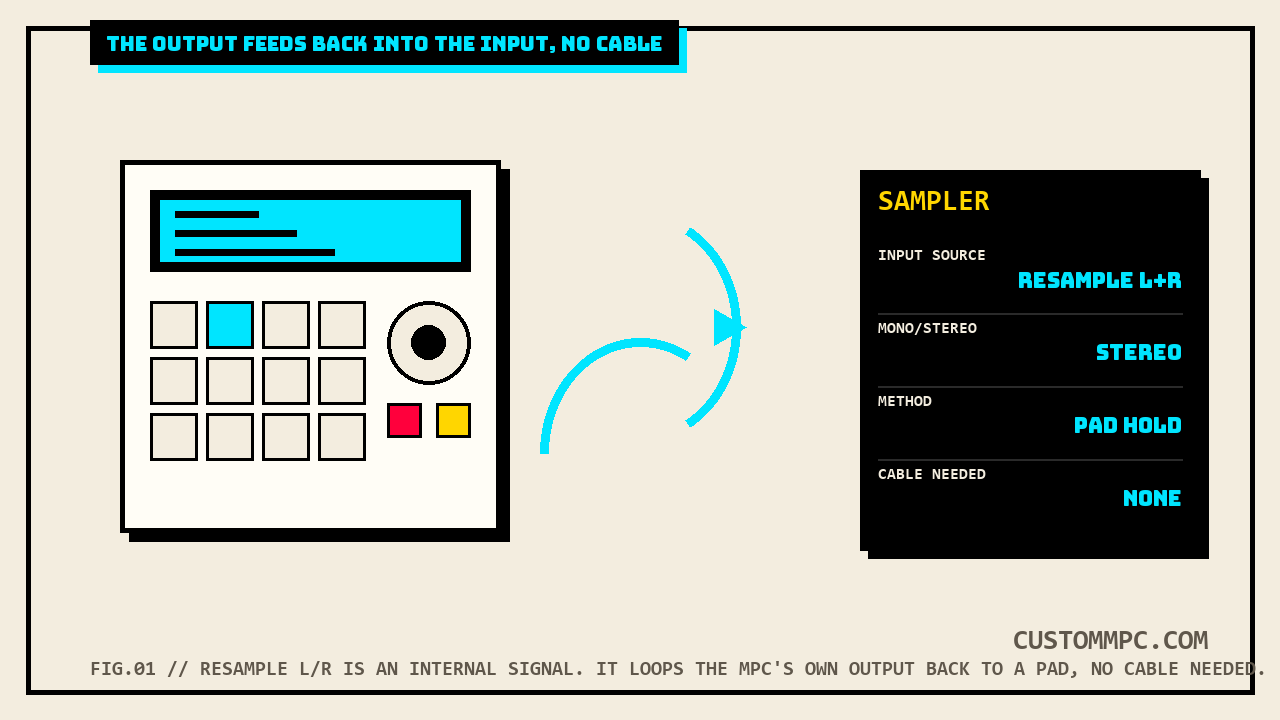
Both the Sampler and the Looper have an Input Source field, and on every current standalone MPC that field offers more than physical input jacks. Akai's own manual states it plainly: "You can also select an internal signal from within your MPC hardware (Resample L, Resample R, or Resample L+R)." The very next line is the reason this exists at all: "Resampling does not require an audio connection because the source is internal and is therefore recorded without any loss in audio quality." No cable, no re-amping, no generation loss from a DAC-to-ADC round trip. Whatever's already inside the MPC's own signal path becomes a legitimate recording source, captured with one of four Sampler methods or looped and overdubbed in the Looper.
Why resample instead of just routing audio
A drum track running through three insert effects, a whole song mode arrangement bounced down, a synth plugin patch you don't want to keep loaded and CPU-hungry: all of those are already audio, moving through the MPC's own engine, before Resample enters the picture. The alternative to Resample is a physical loopback, an output jack patched back into an input jack with an actual cable, which works but adds a full trip through the MPC's analog-to-digital and digital-to-analog converters in both directions. Akai's own wording is specific about what Resample skips: no audio connection required, and the capture happens with no loss in audio quality, because the signal never leaves the digital domain to make the trip.
RIO'S NOTE: This is the fastest way I know to turn something you like into something you can chop. Layered pads sounding good together, a plugin patch about to get replaced, a full arrangement you want as one bounced stem for a pack: point Resample at it, hit record, done. No patch cable, no gain-staging a physical loop, no separate export step first.
The Input Source field
Akai's field-by-field description, quoted in full:
"The upper-left Input Source field defines whether you are going to record an external audio signal, which you can set to the pair of inputs (Input 1,2) or a single input (Input 1-2). You can also select an internal signal from within your MPC hardware (Resample L, Resample R, or Resample L+R)."
Three internal options, not one. Resample L and Resample R each pick off a single channel, Resample L+R takes both. The manual's own example for why you'd want a single channel rather than the full stereo pair is worth repeating exactly as written: "you can, for example, use Resample to record two or more samples by pressing the corresponding pads simultaneously," which reads as capturing a hard-panned source split across L and R as two separate mono samples in one pass, rather than one combined stereo file.
Mono/Stereo, Inserts, and the threshold
Three more fields on the same Sampler screen apply whether the source is an Input jack or Resample. The Mono/Stereo field is a straight either/or: "Use the second upper-left Mono/Stereo field to choose whether your recorded samples will be monaural (Mono) or binaural (Stereo)." The Inserts field carries a warning worth taking seriously before hitting record on a resample pass: any effects loaded there get printed into the audio permanently. Akai's own text: "These effects are applied to the audio as you record it. This means that the effects cannot be 'removed' from the sound later." That cuts both ways. It's exactly how you'd bake a Sampler insert effect permanently onto a resampled layer on purpose, and exactly how you'd accidentally print an effect you forgot was still loaded from an earlier session.
The threshold slider and Max Length field round out the recording setup: threshold sets the input level that auto-starts recording once the Sampler is armed, and Max Length caps how long a single pass can run, up to 60 minutes, with a 20-second default. Both fields work identically regardless of whether the incoming level is coming from a physical input or the MPC's own internal Resample bus.
The Sampler's four recording methods
Resample is a source, not a method. Once it's selected as the Input Source, all four of the Sampler's recording methods still apply exactly as documented, and the choice of method matters more with Resample than with a live input, since there's no risk of missing a live performance, only of picking the wrong workflow for what you're capturing.
Sample. Records one continuous take, with the option to drop slice markers as it records by tapping Slice+. After stopping, a Keep or Discard Sample window opens, letting you name the sample, assign it to a track or pad, set its root note, and optionally add it as a note event into a currently playing sequence, at either the sequence's Start or the exact point where recording began.
Slice. The pads themselves become the slice markers as the sample records; press any pad to drop a marker at that instant, and the pad that flashes red shows which slice number comes next. When recording stops, a Create New Program field controls what happens with the slices: Off adds them to the project's sample pool only, With Non-Destructive Slices assigns each pad's Slice setting to the matching slice number, and With Pad Parameters bakes the slice's start and end points directly into each pad's own Pad Start/Pad End/Loop Position fields.
Pad Tap. Drum tracks only, stated as an explicit requirement: "This mode works for drum tracks only; you must select a drum track before using this mode. If you have another track selected, the pads will flash dim red." Pressing a pad starts recording directly to that pad immediately; pressing a different pad stops the first and starts the next, one continuous recording pass jumping between pads in real time.
Pad Hold. The same drum-track-only restriction, same "Important" wording, but the trigger is press-and-hold instead of press-and-release. Press and hold a pad to record to it, release to stop, and the recorded sample is set up on that pad the same way Pad Tap's is: Slice set to Pad, Pad Start/End matched to what was captured, Loop Position set with Pad Loop off. For chopping a resampled arrangement into pad-ready one-shots in real time, Pad Hold is the fastest of the four, since the length of the hold is the length of the sample with no separate stop step.
Auto Sampler is a fifth path that also accepts Resample as a source, but it's a distinct workflow, capturing a full keygroup patch across a note range automatically rather than a single manual recording pass, already covered in full in Auto Sample on the MPC.
The Looper has the same option
The Sampler isn't the only tool with a Resample source. The Looper's Input Source field is described in nearly identical language, on a completely different page of the same manual: "The upper-left Input Source field defines whether you are going to record an external audio signal... You can also select an internal signal from within your MPC hardware (Resample L, Resample R, or Resample L+R)." Same three options, same "no audio connection required" behavior, applied to the Looper's real-time record-and-overdub workflow instead of the Sampler's fixed-length capture. Practically, that means you can loop the MPC's own internal mix and layer overdubs onto it live, building a resampled arrangement in real time rather than printing one static take.
One detail differs between the two tools' otherwise nearly identical field descriptions, and it's worth flagging rather than assuming it carries over silently: the Looper's Monitor field description includes an explicit restriction the Sampler's doesn't state. Quoted in full: "You can turn input monitoring on only if the Input Source field is set to an input, not to a Resample setting." The Sampler's own Monitor paragraph, describing the same before-vs-after-processing behavior in nearly the same words, never states this restriction one way or the other. This article isn't going to guess whether the Sampler's Monitor toggle is quietly restricted the same way and the manual simply didn't repeat the sentence, or whether the restriction is genuinely Looper-specific. If input monitoring behaves unexpectedly with a Resample source selected in the Sampler, that's the documented Looper behavior worth checking your unit against, not a malfunction.
Not to be confused with: the Resampler effect
Akai's own Effects chapter includes a completely separate feature with a nearly identical name: Resampler, a bit-crush style insert effect. Quoted in part: "Resampler is similar to Decimator in that it removes bits from an incoming signal. The difference is that Resampler applies a complex suite of filters and anti-aliasing to attempt to retain the original sound quality. This is a method used by popular vintage samplers and sampling drum machines from the 1980s. Resampler can be used to achieve a 'dirty' sound on drum loops, without the harshness of distortion." That's an audio-degradation effect you'd load into a track or the Sampler's own Inserts field, built to make something sound like it was captured on cheaper vintage hardware. Resample, the subject of this entire article, is an input source, not a processor, and it doesn't degrade anything by design; Akai's own line is "recorded without any loss in audio quality." Same root word, two unrelated features. If a search through the manual for "resample" turns up bit-crushing and filters instead of an internal recording source, that's the Resampler effect, not this one.
A note on MPC Live III
The general Standalone OS User Guide's Input Source description, quoted above, lists exactly two categories on every model it covers: physical Input jacks and internal Resample. Akai's separate MPC Live III-specific User Guide describes a third category for the identical field on that hardware: "You can also select a USB Source (USB Input 1,2-23,24 for Stereo or USB Input 1-24 for mono) or an internal signal from within your MPC Live III (Resample L, Resample R, or Resample L+R)." That tracks with MPC Live III's own multi-channel USB audio I/O, the same hardware capability covered in Connecting an External USB Audio Interface to Your MPC. What's worth flagging directly is that the general Standalone OS guide's Sampler section, covering every other current model, never mentions a USB Source option on the same field at all. This article isn't going to guess whether that's a genuine hardware difference or an omission in the general guide's text; if you're on MPC Live III specifically, check your own unit's Input Source field for a USB Source entry the general manual doesn't describe.
Common mistakes
Mistake: forgetting an Inserts effect is still loaded before a resample pass. Akai's own manual states plainly that Inserts effects "cannot be 'removed' from the sound later" once printed. Check the Inserts field before recording, every time, not just the first time you set it.
Mistake: using Pad Tap or Pad Hold on a non-drum track. Both methods are explicitly drum-track only. On any other track type, the pads flash dim red and attempting to record brings up a window stating the track type can't be sampled into.
Mistake: searching the manual for "resample" and landing on the wrong feature. The Resampler effect and the Resample input source share a name and nothing else. One degrades audio on purpose, the other captures it losslessly.
Mistake: assuming Resample L+R doubles as Resample L plus Resample R run together. They're three separate selectable options in the same field, not a combination you build by picking more than one; pick the single option that matches whether you want a stereo pair or one isolated channel.
Verdict
VERDICT
Capturing something already inside the MPC as a new sample: that's Resample L, Resample R, or Resample L+R in the Sampler or Looper's Input Source field, no cable required, no loss in audio quality per Akai's own wording. Picking a method once Resample is selected: Sample for one continuous take with optional slice markers, Slice for pads-as-markers with a program-building option on stop, and Pad Tap or Pad Hold, drum tracks only, for chopping straight onto pads in real time. What it isn't: the Resampler effect, a completely different bit-crush processor that happens to share half its name.
Found a resample workflow that saved you a session, or a Live III quirk worth flagging? Tell us what happened.