BUYING GUIDE MPC1000
Akai MPC1000 buying guide: what to check before you buy
The MPC1000 is the cheapest full-size MPC on the used market and the most modded MPC Akai ever made, and both of those facts change what you should actually check before buying one. Here's what the machine is, the real specs straight out of Akai's own Operator's Manual, and the physical checklist worth running on a used unit, boot screen, CompactFlash slot, screen, and pads, in the order that actually matters.
The short version
The MPC1000 is Akai's 2003-to-2009 budget standalone sampler and sequencer, the junior model that ended up becoming the most heavily modded MPC of all time. Stock, it ships with 16MB of sound memory (11.5MB of that usable for sound), expandable to 128MB through a single EXM128 expansion slot, 32 simultaneous voices, 16-bit/44.1kHz sampling, CompactFlash storage handling cards from 32MB to 2GB, and a sequencer that holds up to 100,000 notes across 99 sequences of 64 tracks each, played on 16 velocity-and-pressure-sensitive pads across 4 banks. Every one of those numbers comes straight from Akai's own manual, and unlike its older, more expensive vintage siblings, this machine has no floppy drive and no SCSI port anywhere on it, its entire storage and transfer path runs through CompactFlash and USB. What the spec sheet can't tell you is which of two different pad-sensor generations a specific used unit has, whether its CompactFlash slot still has straight pins, or what two decades of hard sessions did to the screen and buttons. Buy the specs below with confidence. Buy the actual unit only after running the checklist further down.
DEX'S NOTE: I've bought three of these over the years because they're cheap enough to gamble on. Two gambles paid off fine. The third had a compact flash slot with two bent pins from a previous owner jamming a card in wrong, invisible in the listing photos, obvious the second I got a flashlight on the tray in person. This is the checklist I run now before money changes hands, and the CF slot is the one thing I don't skip anymore.
What the MPC1000 actually is
Akai's own manual opens with a straightforward welcome: "Welcome to MUSIC PRODUCTION CENTER MPC1000." Under the branding, it's a self-contained sampler and MIDI sequencer built around 16 pads across 4 switchable banks (64 pads total with bank switching), two Q-Link sliders for real-time control, dedicated NEXT SEQ and TRACK MUTE keys for pad-based performance, and a USB slave port that lets you drag files to and from a computer using standard USB Mass Storage Class, no card reader required. There's no floppy drive and no SCSI interface on this machine at all, which rules out the storage mod that defines its older siblings: the MPC1000, MPC2500, and MPC500/1000-era machines store everything on CompactFlash from the factory and were never SCSI machines to begin with, a scope point our own SCSI to SD mod guide already states directly rather than us re-deriving it here.
It launched as the cheapest full-size MPC Akai sold, and that price floor is the whole reason it became the machine people were never afraid to open up. A whole third-party parts industry grew around it, replacement pads, screens, shells, and RAM boards, and one specific machine, this one, is also the only MPC besides the MPC2500 that runs JJOS, a genuine third-party operating system built by a single anonymous developer. We cover both of those in full depth elsewhere on this site: the complete mod menu with today's real prices lives in our own Custom MPC 1000 build guide, and everything about JJOS specifically, versions, pricing, install risk, lives in our JJOS guide. This article doesn't repeat either one; it's about what to check before you own the machine those two articles are about modifying.
Real specs, straight from the manual
Every number below is quoted or paraphrased directly from Akai's own MPC1000 v2 Operator's Manual (rev 1.0), not a spec-sheet aggregator or a forum recap.
| Spec | Figure |
|---|---|
| Sound memory | 16MB standard (11.5MB usable for sound), expandable to 128MB via one EXM128 board |
| Sample format | 16-bit linear, 44.1kHz |
| Recording time | 136 sec mono at 16MB, 24 min 28 sec mono at 128MB |
| Simultaneous playback voices | 32 |
| Sound programs | 24 max |
| Filter | 2 x 2-pole dynamic filter per voice; lowpass, bandpass, highpass |
| Preset sound memory | 5MB (internal flash) |
| Effects | 2 stereo effects + master effect; chorus, flanger, bit grunger, 4-band EQ, compressor, phase shifter, tremolo, flying pan, reverb, delay; master EQ + compressor |
| Sequencer capacity | 100,000 notes max |
| Sequences / tracks | 99 sequences, 64 tracks per sequence |
| Sequencer resolution | 96 ppq (parts per quarter note) |
| Song mode | 20 songs, 250 steps per song |
| Pads | 16, velocity and pressure sensitive, across 4 banks |
| MIDI | 2 outputs (32 channels total), 2 mergeable inputs, MIDI clock sync |
| Storage | CompactFlash slot, 32MB to 2GB cards; USB slave, Mass Storage Class |
| Display | 240 x 64 dot graphic LCD with backlight |
| Outputs | Stereo out, 4 individual outs, phones, S/PDIF digital out |
| Dimensions / weight | 330(W) x 75.5(H) x 228.2(D) mm (up to 234.6mm), 3.45kg |
| Power | 19W |
Two figures are worth pulling out because they actually shape a buying decision. First, memory expansion is simpler than it is on the older MPCs: one slot, one optional board, the EXM128, takes the machine from 16MB to 128MB flat, there's no multi-SIMM configuration table to interpret the way there is on the MPC2000XL. Second, the manual documents a third load source most listings never mention: alongside INTERNAL MEMORY and MEMORY CARD, the LOAD page has a HARD DISK option tied to the optional Kit-HDM10, an internal hard disk installation kit Akai sold for this machine. If a listing photo shows anything beyond the stock CompactFlash slot inside the case, or a seller mentions an internal drive, that's the HDM10 kit, and it's worth asking about directly since it means the unit has been opened and modified at some point, for better or worse.
Why it's still worth buying in 2026
Three practical reasons, none of them nostalgia. First, it's still the cheapest way into a full-size, standalone MPC workflow with real pads and a real sequencer, no subscription, no companion app, no cloud account, and prices have stayed low precisely because so many survive, covered with real numbers in the pricing section below. Second, no MPC has a deeper aftermarket ecosystem: replacement pads, screens, full metal shell kits, and RAM boards are all still in production specifically for this machine, all covered with today's prices in our full build guide, worth reading before or after this one depending on whether you're buying or already own one. Third, JJOS: free from the developer's own site, it fixes bugs Akai never patched and adds features Akai never shipped, and the paid tiers add non-destructive chopping and keygroup-style instrument programs on top, the complete rundown, versions, prices, and the honest risk of a one-developer paid OS, is in our JJOS guide.
What it isn't: a guaranteed-good gamble just because it's cheap. The pad sensors on early units are a genuine, well-documented failure mode, and the CompactFlash slot on this specific machine turns out to be a more common point of physical damage than on almost any other MPC, both covered in detail in the checklist below. Go in expecting to run the checks, not to skip them because the asking price is low.
The physical checklist
Run these in order, cheapest and fastest checks first, before you commit to anything expensive to verify later.
1. Power on and read the memory splash screen, the safe way
On a normal power-up, the MPC1000 briefly displays a splash screen showing the amount of memory installed, useful for confirming a seller's claim about an EXM128 upgrade before you buy anything based on it. Here's the part worth being careful about: Akai's own manual only documents that exact splash text in one specific context, the factory-reset procedure, where you hold the ERASE key while powering on and release it once the display reads "MPC1000 (##MB installed)," and completing that procedure resets the unit's global settings to factory defaults. Don't hold ERASE on a seller's unit to check its RAM, that's a real factory reset, not a safe diagnostic. Just watch the normal boot screen instead; the figure is the same either way.
2. Ask what OS is loaded, and don't expect a version screen to confirm it
Community buyer guides recommend checking the operating system through MODE then PAD 10 (OTHER mode), where a free-JJOS unit shows a version string like "JJOS: 3.16." Worth knowing before you rely on that: Akai's own MPC1000 manual, unlike its MPC2000XL manual, doesn't document a dedicated version-display screen under OTHER mode at all; the F-keys it documents there are GLOBAL, FOOTSW, and PAD, nothing labeled version or system info. That gap is disclosed in more depth in the sources note below. Practically: if the seller says JJOS is installed, ask which tier, free, OS2XL, or OS3, since JJOS passwords are tied to the specific unit and aren't transferable if you were hoping to buy a "JJOS included" machine as a shortcut around the $123 price, a risk our JJOS guide lays out in full.
3. Inspect the CompactFlash slot for bent or missing pins
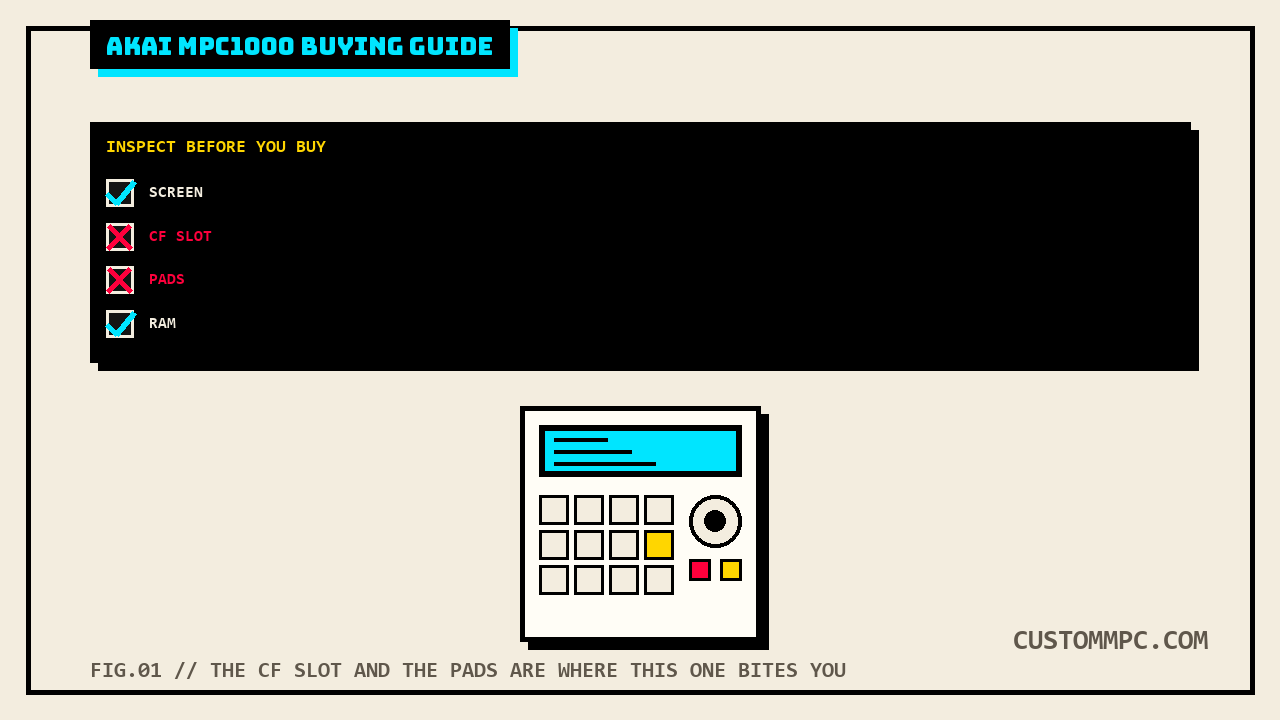
This is the MPC1000's own signature failure point, and it's mechanical, not electronic: forcing a CompactFlash card into the slot at the wrong angle bends the fine pins inside the tray, and a bent or missing pin means the card either won't read at all or reads intermittently. Pull out a flashlight and look straight down the CF tray before you insert anything; every pin should be present and straight. If the slot is already damaged, budget for a real number, not a guess: mpcstuff sells a direct replacement memory card slot and headphone board for $164.45, in stock at the time of writing, with an install video on the product page. Community threads on the same repair mention lower figures from a few years back, a $125 board and a roughly $120-plus-$30-labor quote at an independent shop, cited here as the pattern rather than the current price; treat mpcstuff's live listing as the number to actually budget against.
4. Load a program off a CompactFlash card and confirm it actually reads
Beyond just checking the pins, run the real test: insert a CompactFlash card (any card between 32MB and 2GB per Akai's own spec) with a program on it, press MODE then PAD 2 for LOAD, browse to a file, and load it with samples. A slot with marginal pin contact can sometimes still mount a card but throw errors partway through a load, so don't stop at "the card shows up," actually load something all the way through. If you have a laptop handy, also plug in over USB and confirm the machine mounts as a Mass Storage device; that's the modern, card-reader-free way most owners actually move files today.
5. Check the screen for scratches on the cover, not for dead pixels
The MPC1000's 240 x 64 dot LCD is a different reliability story than its older siblings. Community buyer guides are explicit that these panels don't develop the progressive dead-pixel lines that plague the older MPC2000/2000XL screens; what actually wears on the MPC1000 is the clear plastic cover over the display, which picks up scratches from pad hits and general handling over two decades. Cosmetic scratches on the cover are cheap and common; a display that's genuinely dim, flickering, or partially blank is the rarer, more serious version of this check and worth walking away from at a full asking price.
6. Play every pad, hard and soft, and run the wiggle test
Early MPC1000 units used individually isolated pad sensors that stiffen with age and eventually stop registering hits one by one; later units moved to a connected sensor sheet that doesn't share that fault. Casing color doesn't reliably tell you which one you're holding. The test itself: gently wiggle the edge of a corner pad with a finger. If a neighboring pad visibly moves with it, that's the newer connected sensor sheet. If the pad you're wiggling moves alone, that's the older individually isolated design, and its clock is running. One thing worth knowing that genuinely sets this machine apart from its older vintage siblings: the MPC1000 does have a real, Akai-documented, per-pad sensitivity and velocity-curve calibration screen, MODE then PAD 10 (OTHER), then F4 (PAD), which our own pad repair and calibration guide verified directly against this same manual. That screen fixes a pad that feels too soft or too hard across its whole range; it does not fix a pad that's cross-talking with its neighbor or has gone fully unresponsive, that's still a hardware sensor problem the wiggle test is meant to catch before you pay for it.
7. Test every button, the data wheel, and both Q-Link sliders
The tact switches under the MPC1000's plastic buttons are a known long-term wear item, the same way they are on every MPC with mechanical switches this old: they get erratic before they die outright, and a fix means real soldering, not a settings tweak. Press every button on the panel, not just the ones you expect to use, and confirm the DATA wheel and both Q1/Q2 sliders respond smoothly across their full range; a sticky or dead slider is a real repair, not a preference issue, since the sliders drive live sound-shaping parameters in SLIDER mode.
8. Verify the outputs and ask directly about an installed hard disk
The rear panel carries a stereo main out, 4 individual assignable outs, a headphone jack, S/PDIF digital in and out, 2 MIDI ins and outs, USB, and 2 footswitch jacks. Run a sound through each of the 4 individual outs if you plan to use them, and test both footswitch jacks if the seller claims they work. Separately, and worth its own direct question: if anything about the listing or the case interior suggests an internal drive beyond the stock CompactFlash slot, that's the optional Kit-HDM10 hard disk installation, documented by Akai as a real option for this machine, and it's a fair, specific thing to ask a seller about rather than assume from photos alone.
What they actually cost right now
Real listings, not a guessed range. Our own build guide's price check put a working stock unit at roughly $470 to $650 used, and a fresh pass at the time of writing shows the range holding: an equipboard aggregation still starts listings around $470, hifishark's recent European listings run roughly EUR 550 to 650, and a single black unit bundled with JJOS and a 2GB card sold on Reverb in Used-Good condition at $792.47, the JJOS install and included card pushing that one above the plain-unit range rather than reflecting a base-condition price. That's still the lowest entry price of any full-size MPC covered on this site, and it's exactly why the checklist above matters more here than on a pricier machine: a $500 unit with a $164 CF slot repair and a $165-to-$205 pad kit ahead of it, both priced in our build guide, isn't actually the bargain the sticker price suggests.
Common mistakes
Mistake: trusting casing color to guess the pad generation. Blue units and early black units are both associated with the older individually isolated sensors, but plenty of units have been upgraded or mixed since, and community sources are direct that color alone proves nothing. Run the wiggle test yourself.
Mistake: holding ERASE at power-on to "check the RAM" on a seller's unit. That key combination performs a real factory reset, not a safe diagnostic. The same memory figure shows on a completely ordinary boot.
Mistake: assuming a mis-triggering pad is just a sensitivity setting. The MPC1000 does have a real, documented Pad Sensitivity and Velocity Curve screen, but it only adjusts how hard you have to hit a working pad, it doesn't fix cross-talk or a dead sensor. Those are hardware, not software.
Mistake: not checking the CF slot because "it read a card in the store." A slot with one or two bent pins can still make contact under the right pressure and fail under normal handling later. Look at the actual pins with a flashlight, not just at whether a load worked once.
Mistake: paying a premium for "includes JJOS" without asking which tier and whether the password is genuinely usable. JJOS passwords are generated against a specific unit and aren't transferable between machines, a risk our own JJOS guide states in full; a seller's paid JJOS license doesn't automatically mean you're getting a working, honored password.
A note on sources
Rule two on this site is that conflicts and honest gaps get stated, not quietly resolved, and this manual has two worth flagging directly rather than smoothing over. First: Akai's own MPC1000 v2 Operator's Manual contains zero mentions of a backup battery anywhere in its text, a full-text search for "batter" returns no results at all. That's not a research gap the way it is for the MPC2000XL, where this site's own battery-backup and pad-repair-calibration articles already disclosed an unreadable service manual as the honest reason no battery part number could be confirmed. Here, the primary source itself explains why there's nothing to find: the manual's own "Initialize to Factory Preset" section states directly that the MPC1000's global settings "are saved to the internal Flash Memory and stored when the MPC1000 is turned off," not to battery-backed RAM the way the MPC60 and MPC3000 work. This is a genuine, confirmable design difference between generations, not an unresolved question about this specific model, so this article doesn't run a "battery" checklist item the way our MPC2000XL buying guide does; there's a real, primary-source answer here instead of a disclosed gap.
Second: unlike the MPC2000XL's manual, which documents a dedicated VER. screen for checking the loaded operating system version, the MPC1000 v2 Operator's Manual documents no equivalent version-display screen anywhere in its OTHER mode section or elsewhere in the text. Community buyer guides describe checking OS version through MODE then PAD 10, and that's a real path into OTHER mode, but this specific manual doesn't confirm which field or screen displays the version string, likely because that display is a JJOS addition rather than a stock Akai OS feature; JJ's own OS is documented elsewhere on this site as adding an "improved load screen" over stock Akai OS. Stated here rather than resolved: this article can confirm the OTHER-mode path exists and can confirm the version-check behavior is reported by buyer guides, but can't confirm from Akai's own text exactly which stock-OS screen, if any, shows the same information.
Verdict
VERDICT
The specs: 16MB sound memory expandable to 128MB, 32 voices, 16-bit/44.1kHz, a 100,000-note sequencer across 99 sequences of 64 tracks, CompactFlash-only storage from 32MB to 2GB, and no floppy drive or SCSI port anywhere on the machine. All of that is confirmed straight from Akai's own manual. The purchase: a condition decision built around two failure points this machine has that others don't: its individually-isolated first-generation pad sensors, and a CompactFlash slot with pins that bend more easily than almost any other MPC's storage interface. Read the boot splash the safe way, run the wiggle test, get a flashlight on the CF tray, load a real file all the way through, and ask directly about JJOS tier and any internal hard disk kit. The money: budget for real used prices in the roughly $470 to $650 range for a plain stock unit, more for one already carrying JJOS and extras, and price in a $164.45 CF slot board or a pad kit if the unit needs one rather than treating either as a surprise later. Get all of that right and you're not buying a risk, you're buying the cheapest real entry point into a full standalone MPC workflow, with the deepest mod path of any MPC ever built waiting on the other side of the checklist.
Bought one recently, or found something this checklist should have caught? Tell us what happened.